
 Embed Twitter/X Tweet Widgets (manual)
Markdown Monster doesn't have any special tools for embedding Tweets as Widgets into a Markdown document. The reason for this is that Twitter provides a fairly easy mechanism for creating these Widgets as part of various Web and Twitter clients by using the Twitter Embed feature which produces simple embeddable Html with a script link that can be directly pasted into Markdown content.
Twitter Embed
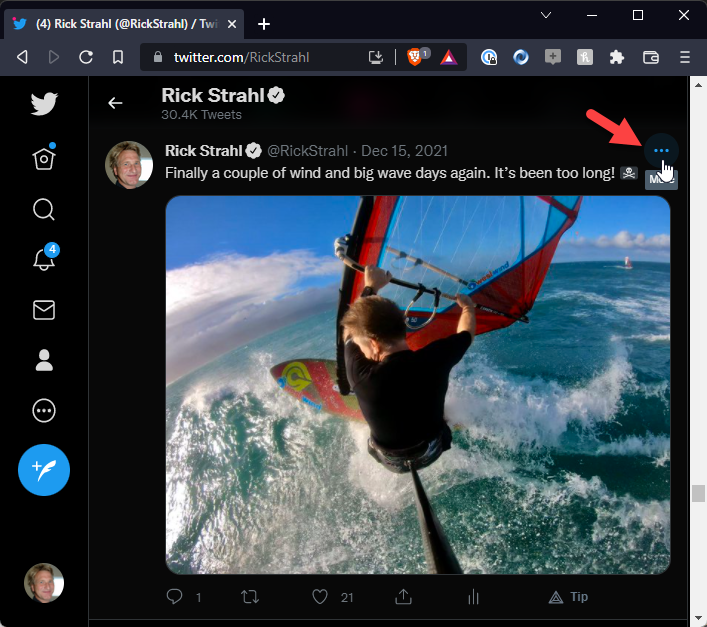
The Twitter embedding feature can be accessed on any tweet in the Web browser. Start by clicking on the ... more button in the Twitter UI:
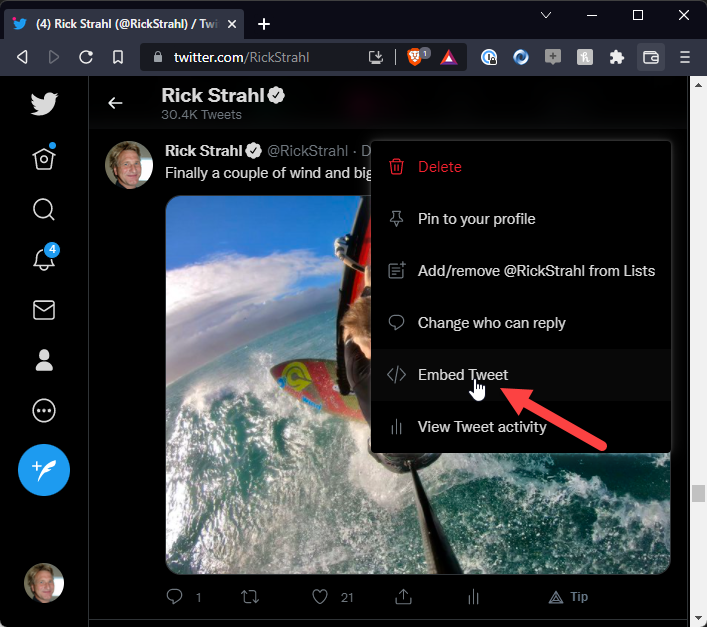
Then select Embed Tweet:
This brings up a form that previews the tweet widget along with the Html and Script code that can be embedded into any Html or... Markdown document:
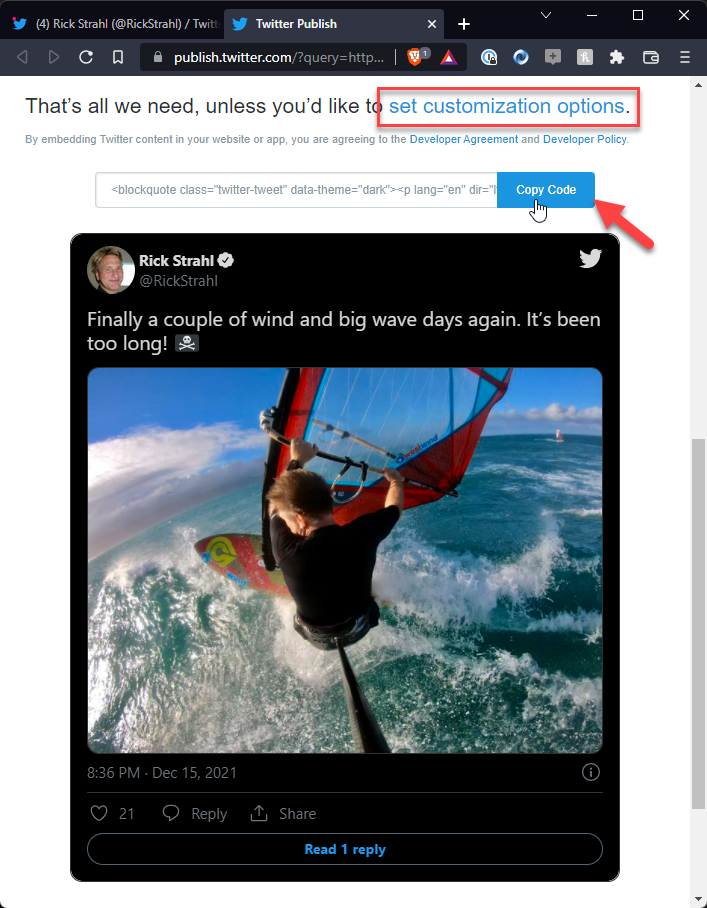
If the Widget looks good as is click on Copy Code otherwise use the set customization options link to customize which allows you to set the theme (light or dark), language and a couple of other options. I like to use the dark theme so I customized that in this capture.
Next switch back to Markdown Monster and position the cursor at the location you'd like to see the embedded Tweet and then paste from clipboard (ctrl-v):
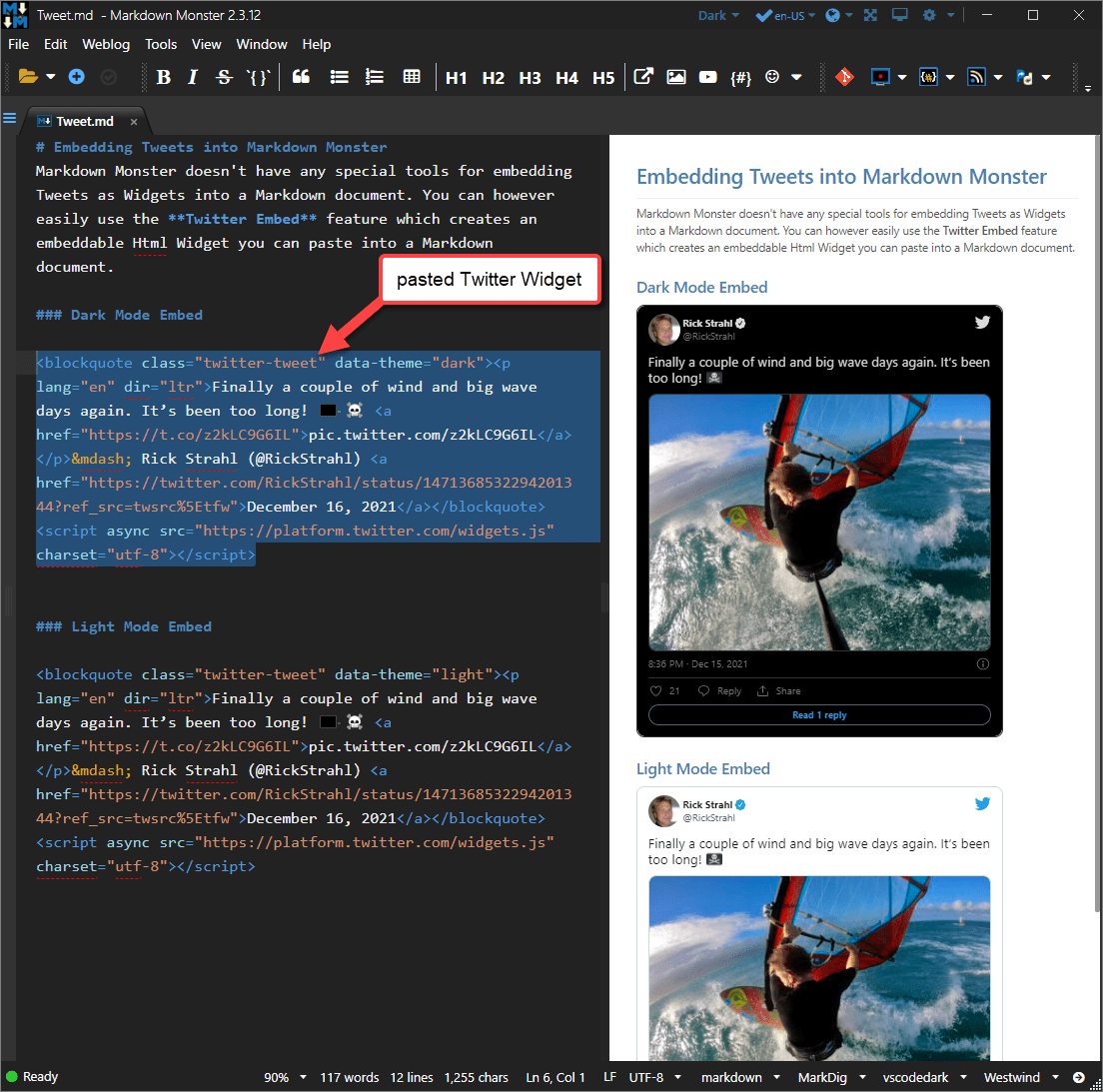
Note that Widget is live, meaning all the links and buttons - Like, Reply and Share buttons work although they all link back to the original Tweet.
The screen shot shows both the dark and light versions of the tweet embedded in the document. Note that the only difference between the two is the data-theme="dark" attribute in the Html so it's easy to switch between the two even without using the embed tweet options.
Here's what typical embedded tweet Html looks like (formatting added):
<blockquote class="twitter-tweet" data-theme="dark">
<p lang="en" dir="ltr">
Finally a couple of wind and big wave days again. It’s been too long!
<a href="https://t.co/z2kLC9G6IL">pic.twitter.com/z2kLC9G6IL</a>
</p>
— Rick Strahl (@RickStrahl)
<a href="https://twitter.com/RickStrahl/status/1471368532294201344?ref_src=twsrc%5Etfw">December 16, 2021</a>
</blockquote>
<script async src="https://platform.twitter.com/widgets.js" charset="utf-8"></script>
Requirements and Limitations
There are a couple of issues for Twitter/X Widgets due to the way the limited Twitter API works.
- Script Tag Embedding needs to be enabled in MM
- Markdown Hosting Platform has to support Script Tags
- Widget doesn't refresh in Previewer unless you do a full Page Refresh
Requires that Script Rendering is Enabled
Twitter Widgets rely on an embedded <script> tag, rendering of which is disabled in MM by default. You can enable <script> rendering using the Allow Script Tags in Markdown option on the menu or in Settings.
You can enable this global setting here:
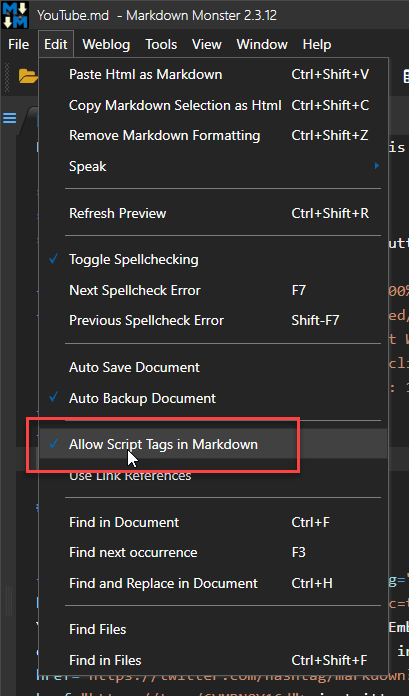
Embedded Tweets only work if Markdown Server supports embedded Html
MM can always render this feature as it supports embedded Html and scripts (optionally). However, any server hosting platform that renders your Markdown may not.
Since the Tweet Widget is raw Html with a <script> tag from Twitter's API that handles the formatting and interactions, whatever server platform ends up rendering the Markdown has to support rendering these tags.
For example, GitHub does not allow script tags to be rendered to avoid XSS attacks on the GitHub site, so embedded tweets do not work on GitHub. However, most Blog Engines like WordPress and Medium or static site generators like Jekyll or Statiq do support embedded Html and script, so you can use it there.
Before going nuts with embedded Tweets in Markdown, make sure that your target hosting platform supports it.
Twitter Widget doesn't refresh in Previewer unless you do a full Page Refresh
Due to the limitations in the Twitter/X API the script can only be loaded asynchronously via initial script invocation. The behavior is as follows:
- Initial Rendering - widget visible
- After Editing Markdown - widget placeholder shown
- After Browser Refresh - widget visible
The place holder looks like this and comes directly from the Twitter Widget when the script that loads it normally does not run:
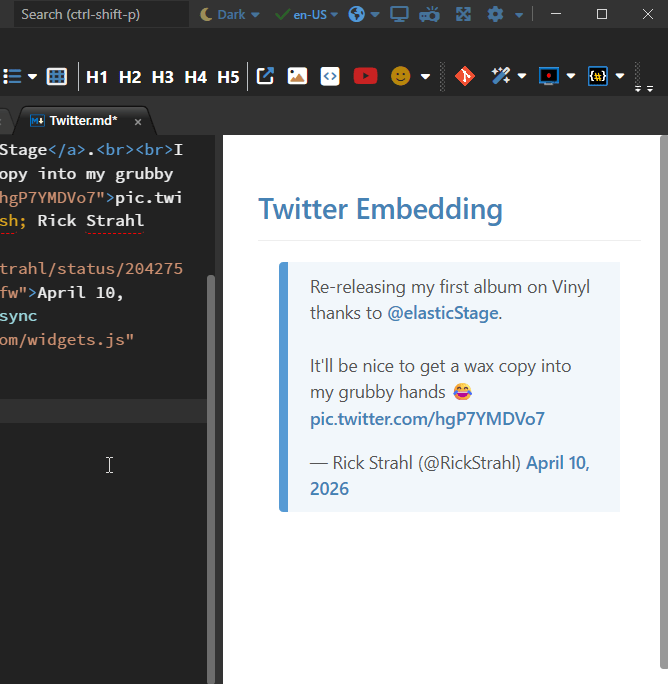
In a nutshell, the widget only fully renders on initial loading or a hard refresh, not on page updates from editing as we replace the content rather than reload the entire page which would be very slow and janky.
While we can force the script to be reloaded, due to the async nature of the script execution and the explicit embedding of generated HTML into the page, the widget both excessively jumps around the document on render and it does so after MM has already positioned its cursor for the active content in the Preview - the result of this is that you effectively lose the preview position when the widget renders.
To hard refresh the preview browser:
- Preview Context Menu: Forced Browser Refresh
- Press F5 while focused in the Previewer
Embed Tweet Info Toolbar Button
In case you need to embed a Tweet in a month or two after you've forgotten these steps, MM also has a toolbar option that takes you directly to this help topic.
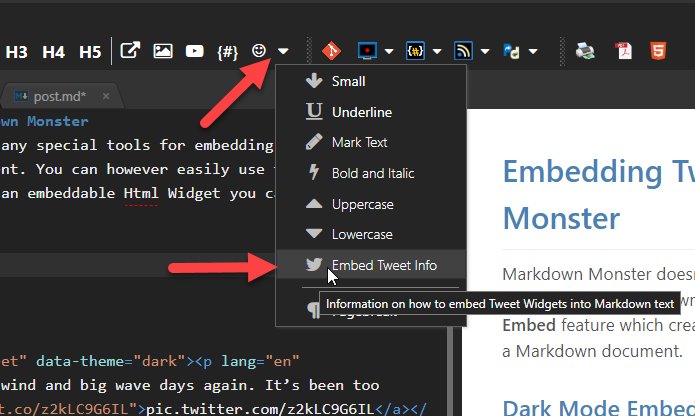
Why is there No User Interface for Tweets?
We thought about it, since tweets are very popular to embed into Markdown documents. However, Twitter's public API makes it very difficult to get the detailed tweet information that Twitter makes available. The embeddable Widgets are nice because they exactly match the Twitter UI and are clickable.
The other issue is that one way or another you have to get some sort of Tweet Id in order to create a widget. If you already have to use Twitter to pick up this ID it's only one additional quick step to get the full widget that can be pasted. In short, it's actually easier to grab and paste the Widget HTML from Twitter than it would be to present a UI for it in Markdown Monster.
Comment or report problem with topic